

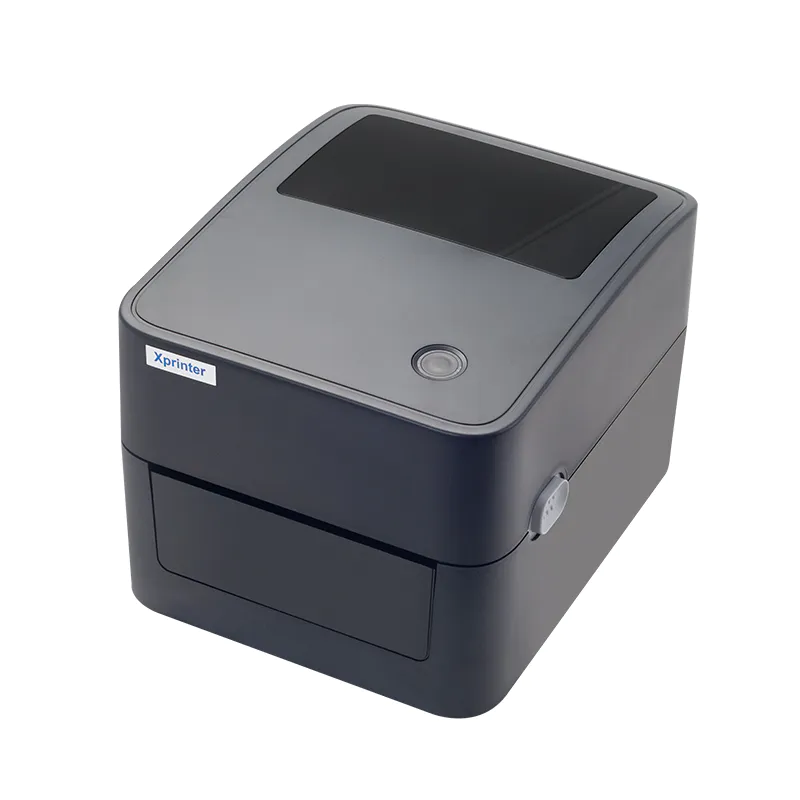
The connection method used by a receipt printer can have a significant impact on how efficiently a business handles everyday transactions. Retail stores, restaurants, cafés, and service counters all have different equipment setups, so choosing the right interface is essential for reliable communication between the printer and POS system.
An 80mm Thermal Receipt Printer can be available with several connectivity options, including USB, Bluetooth, and Ethernet. Each option has its own strengths, and understanding the differences can help businesses choose a configuration that fits their current workflow and future needs.
USB Connectivity for Simple POS Setups
USB is one of the most common connectivity options for receipt printers. It provides a direct connection between the printer and a computer, POS terminal, or other compatible host device.
For businesses with a single checkout station, USB can be an efficient choice because installation is generally straightforward. It also avoids the need for a separate network configuration.
When USB Makes Sense
USB connectivity is well suited to:
- Small retail shops with individual checkout stations
- Desktop-based POS systems
- Businesses where the printer stays close to the POS terminal
- Setups that prioritize simple installation
One limitation is that a USB printer is generally tied to its connected host device. Businesses with several terminals may need a different configuration if they want multiple workstations to access the same printer.
Bluetooth for Wireless Flexibility
Bluetooth provides a wireless connection between compatible devices and the receipt printer. This can be useful for businesses using tablets, mobile POS terminals, or checkout stations where reducing cables is a priority.
A wireless setup can give employees greater freedom to position the POS device without being restricted by the length of a USB cable.
Benefits of Bluetooth
Bluetooth can be particularly useful in:
- Mobile retail environments
- Cafés and restaurants using tablets
- Temporary checkout areas
- Small businesses seeking a less cluttered counter
However, compatibility should be checked carefully. The POS application, operating system, and printer must all support the required Bluetooth printing functions.
Ethernet for Networked Operations
Ethernet connects a receipt printer to a local wired network. This makes it a practical option for businesses that operate multiple POS terminals or need network-based printing.
A network-connected printer can potentially receive print jobs from multiple authorized devices, depending on the POS software and network configuration.
Where Ethernet Works Best
Ethernet is often a strong choice for:
- Supermarkets with multiple checkout stations
- Larger retail stores
- Restaurants with several ordering terminals
- Businesses with an established wired network
- Centralized printing environments
The main consideration is that Ethernet installation usually requires more configuration than a direct USB connection. Network settings and POS software may need to be configured before the printer can operate correctly.
Comparing USB, Bluetooth, and Ethernet
The best connectivity option depends on the business environment rather than simply the number of available features.
| Connection | Best Use | Key Benefit | Main Consideration |
|---|---|---|---|
| USB | Single POS station | Simple direct connection | Limited flexibility for shared access |
| Bluetooth | Mobile POS | Wireless convenience | Device and software compatibility |
| Ethernet | Multiple terminals | Network-based access | Requires network configuration |
Some printers offer multiple interfaces, allowing businesses to select the most suitable connection during installation or adapt the setup as their requirements change.
POS Software Compatibility
A physical connection alone does not guarantee that a receipt printer will work with a POS system. Software compatibility, drivers, operating systems, and communication protocols should also be considered.
Before purchasing, businesses should confirm that the printer supports their POS application and operating environment. This step can help avoid installation issues and unexpected interruptions after the equipment arrives.
For businesses replacing an existing printer, checking the current connection type and software requirements can make the transition easier.
Reliability and Connection Stability
A reliable connection is essential during busy checkout periods. Even a fast thermal printer can become a source of delays if communication with the POS system is inconsistent.
USB connections can be dependable for short, direct connections. Bluetooth offers greater physical flexibility but depends on wireless compatibility and range. Ethernet provides a stable wired network connection but relies on proper network configuration.
Businesses should choose the option that provides the right balance between convenience and reliability for their particular environment.
Considering Future Business Needs
The best printer connection is not always the one that meets today’s requirements alone. Businesses may add checkout terminals, switch to mobile POS systems, or expand their network infrastructure over time.
Choosing a printer with multiple connectivity options can provide greater flexibility. For example, a business might initially use USB but later benefit from Ethernet as additional POS stations are introduced.
Planning for potential changes can help reduce the need to replace equipment prematurely.
How to Choose the Right Connectivity Option
When comparing receipt printers, consider the following questions:
- How many POS devices need to communicate with the printer?
- Will the printer remain in one location?
- Does the business use desktop computers, tablets, or mobile POS devices?
- Is a wired network already available?
- Does the POS software support the selected connection?
- Could the business require additional terminals in the future?
The answers can make it easier to determine whether USB, Bluetooth, Ethernet, or a multi-interface configuration is most appropriate.
Conclusion
USB, Bluetooth, and Ethernet each provide useful connectivity options for an 80mm thermal receipt printer. USB is convenient for direct POS connections, Bluetooth offers wireless flexibility, and Ethernet is well suited to networked environments with multiple terminals.
Rather than choosing a connection based solely on convenience, businesses should consider their POS system, workspace, number of devices, network infrastructure, and future expansion plans. Matching the printer’s connectivity to the actual operating environment can help maintain dependable and efficient receipt printing.


